

How to Settle a Batch on Dejavoo P-Series Devices
Use the steps below to manually settle or batch out transactions on a Dejavoo P-Series payment terminal. This includes all P Series Devices.
Step 1: Return to the Main Screen
If the terminal is displaying the DVSPin screen:
Tap Bypass in the top-right corner.
This will take you back to the main screen.
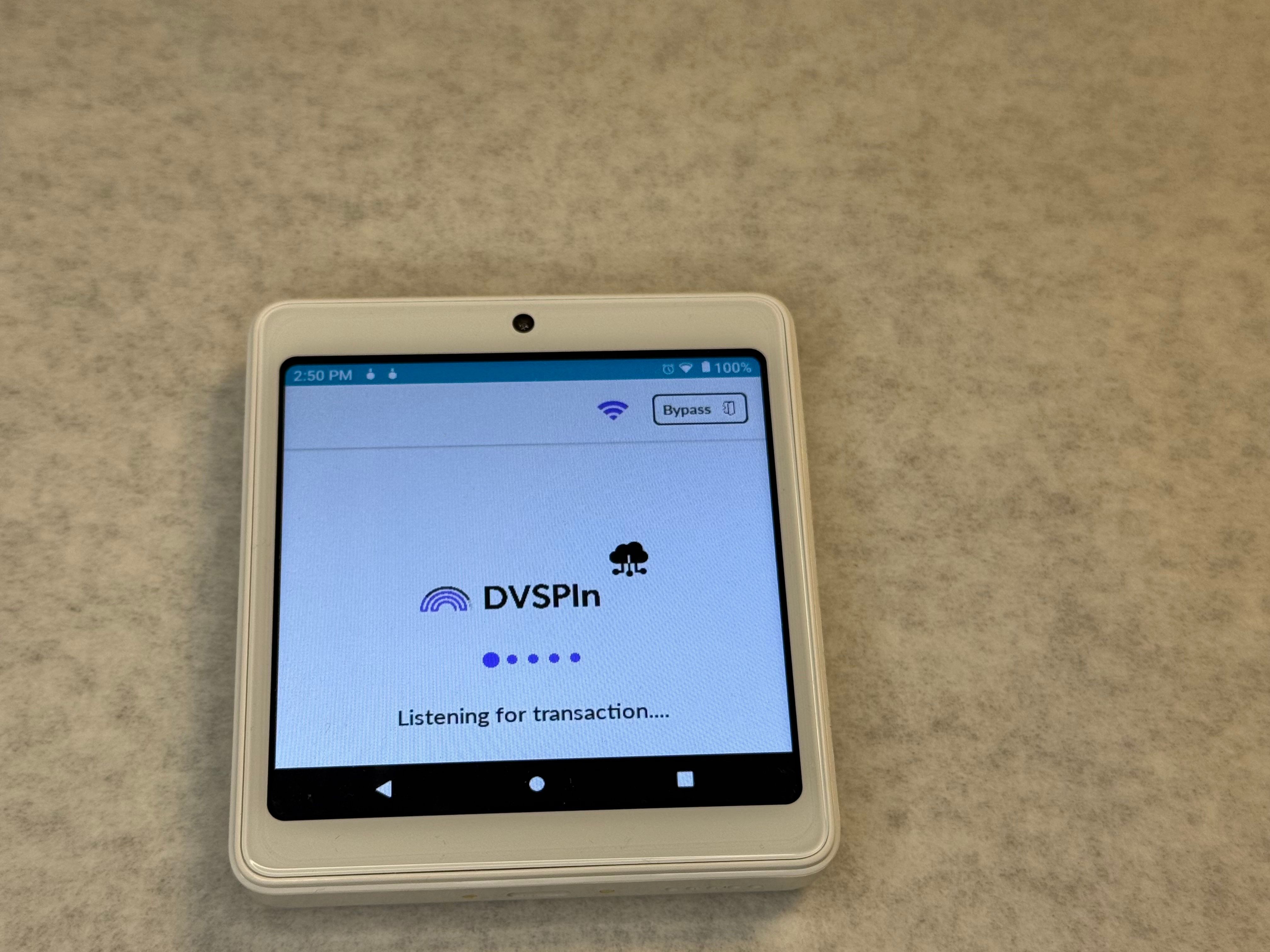
Step 2: To Open the Menu
Tap the Star (★) icon.
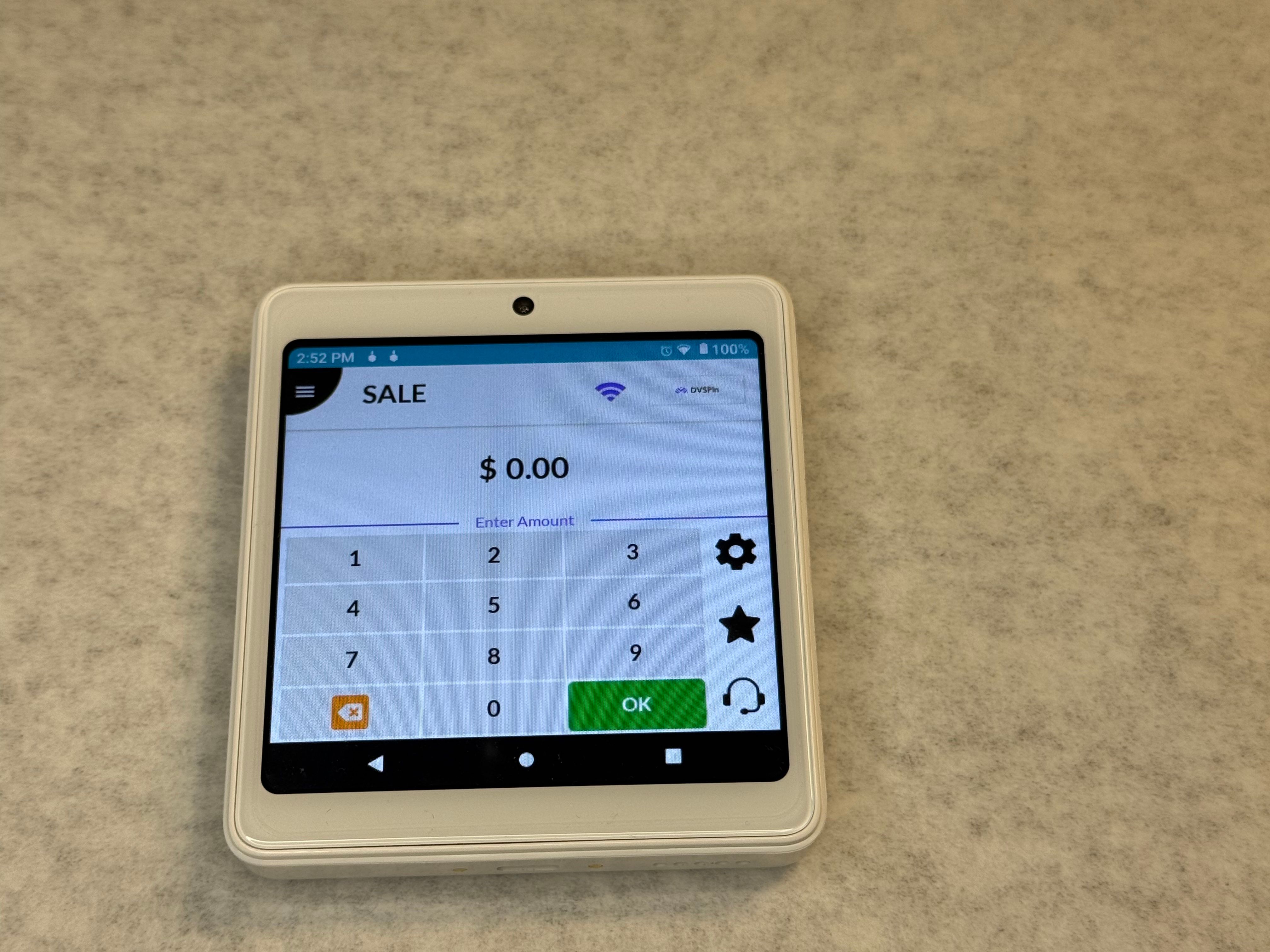
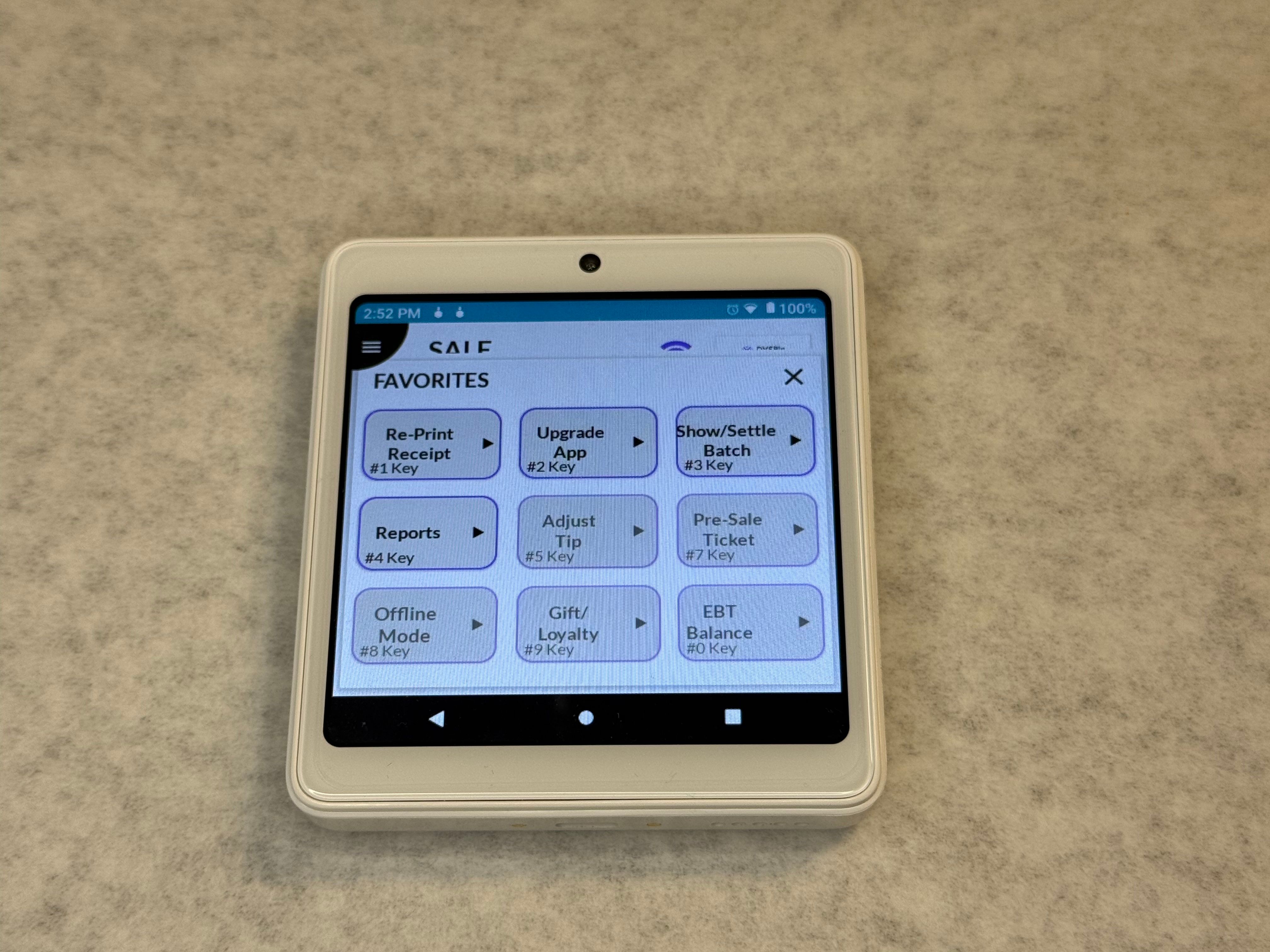
Step 3: Select Batch Settlement
Select Option 3 – Show Settle Batch.
Step 4: Settle the Batch
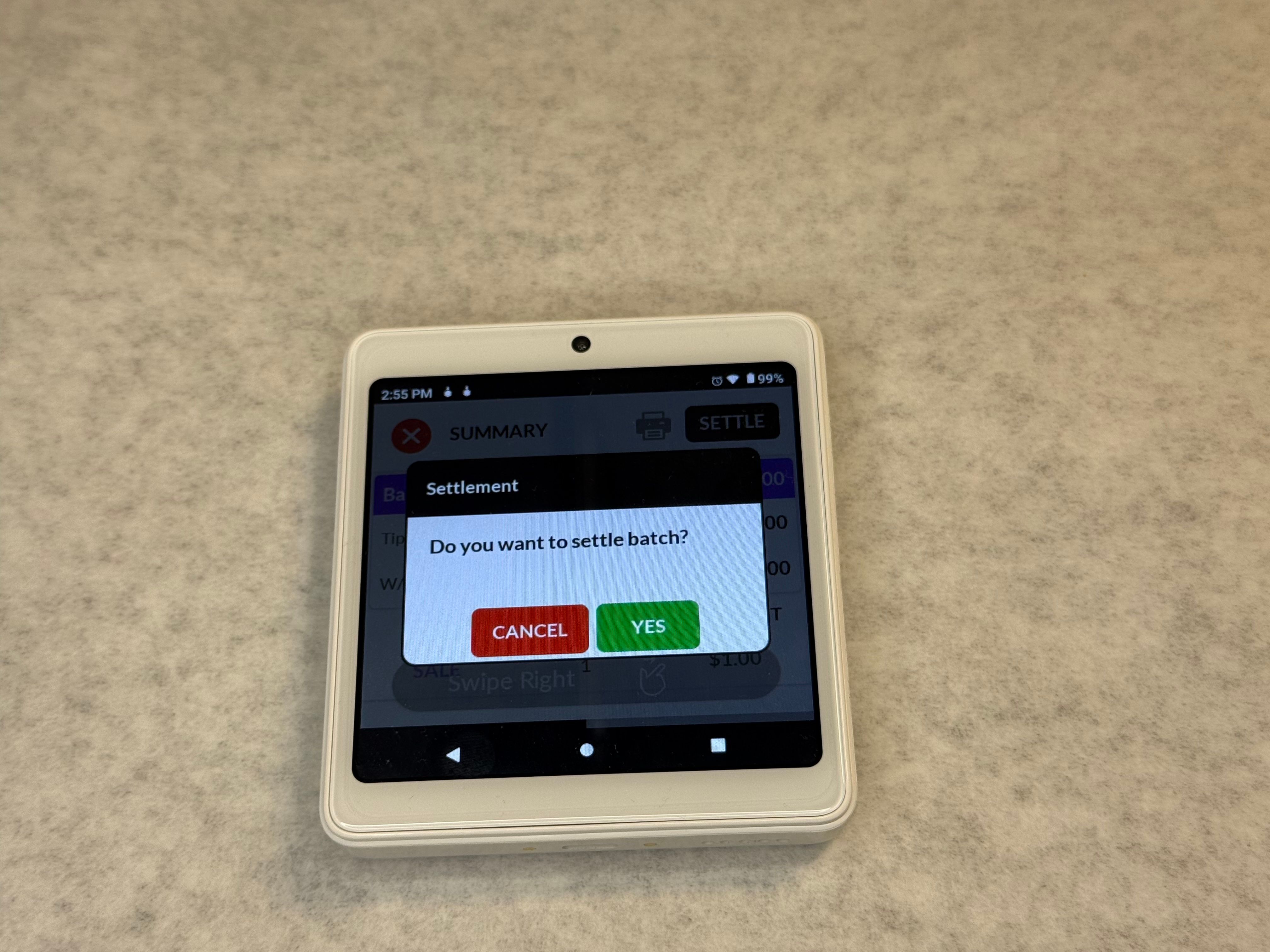
Tap Settle in the top-right corner.
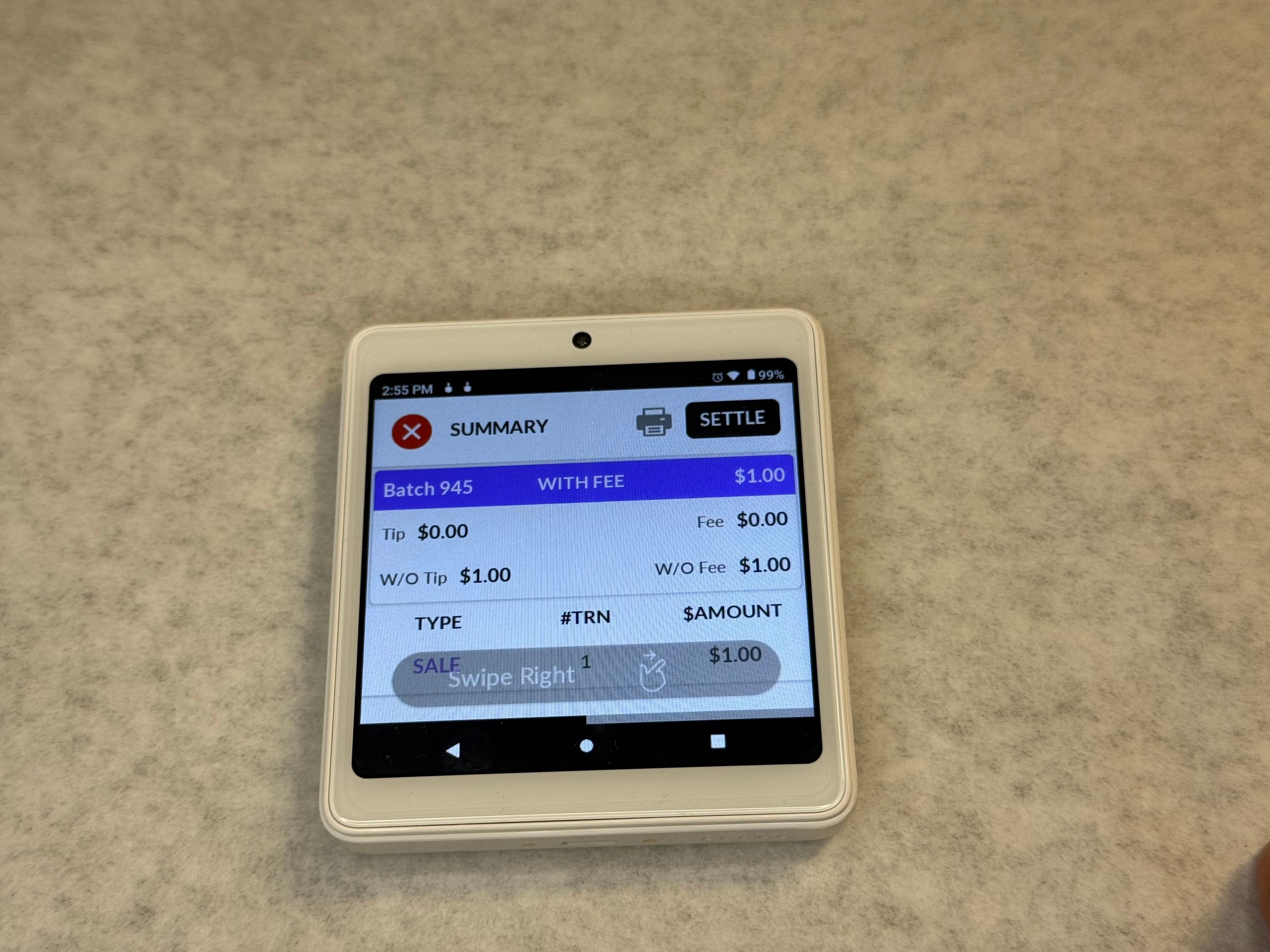
When prompted for confirmation, tap Yes
Step 5: Confirm Successful Settlement
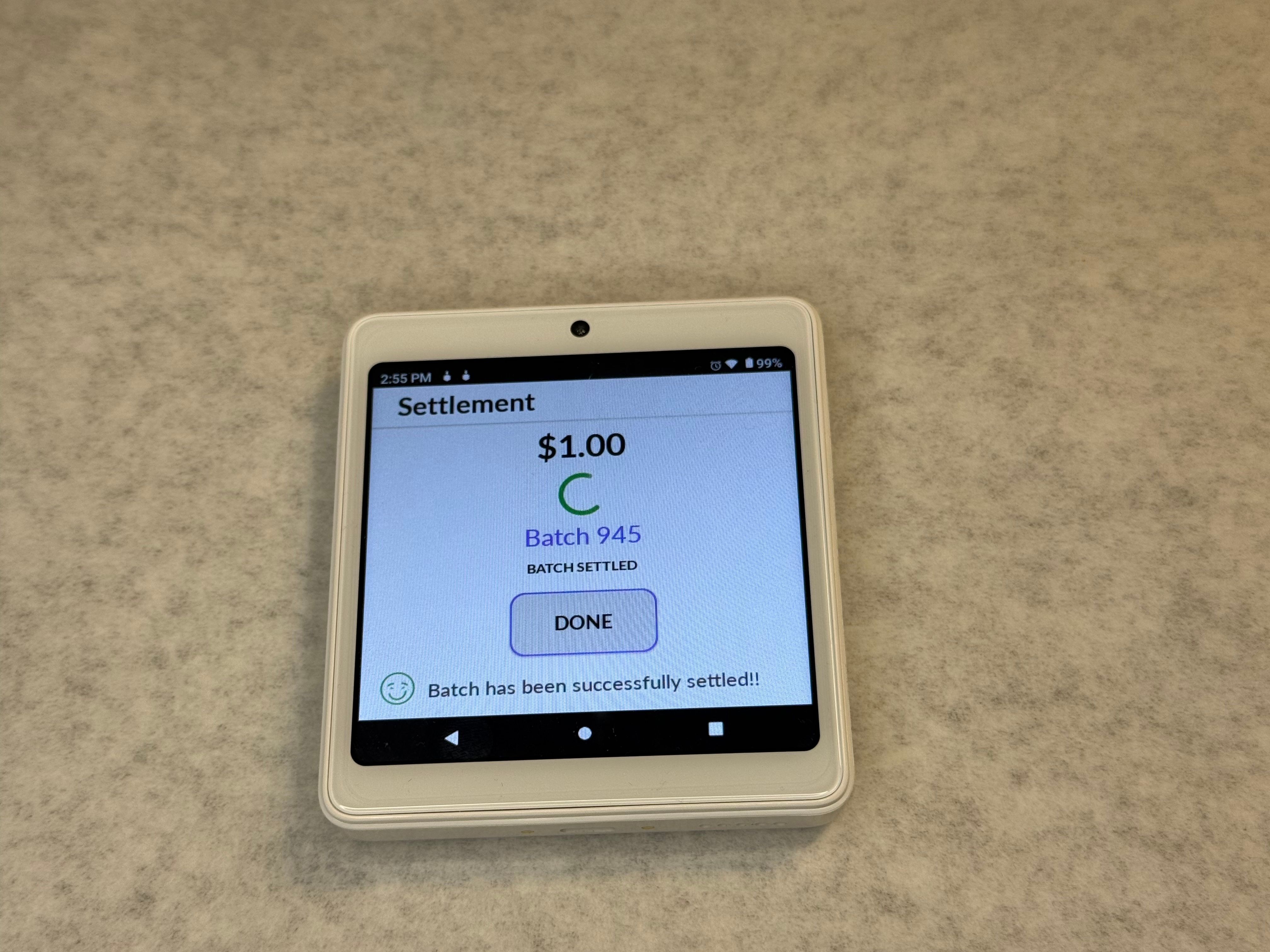
Once completed, the terminal will display a:
“Batch Settle Successful” message.
Your batch has now been successfully settled.
Need Help?
If you are unable to settle the batch or receive an error message, please contact your payment processing support team.
You may also contact Dejavoo Technical Support:
Phone: 1-877-358-6797, Option 2
Email: [email protected]
If the main support number is unavailable, Dejavoo currently lists 516-280-4819 as an alternate Technical Support number.