

How to Update the App on Dejavoo P-Series Devices
Use the steps below to update the payment application and download the latest parameters on a Dejavoo P-Series terminal.
Step 1: Return to the Main Screen
If the terminal is displaying the DVSPin screen:
Tap Bypass in the top-right corner.
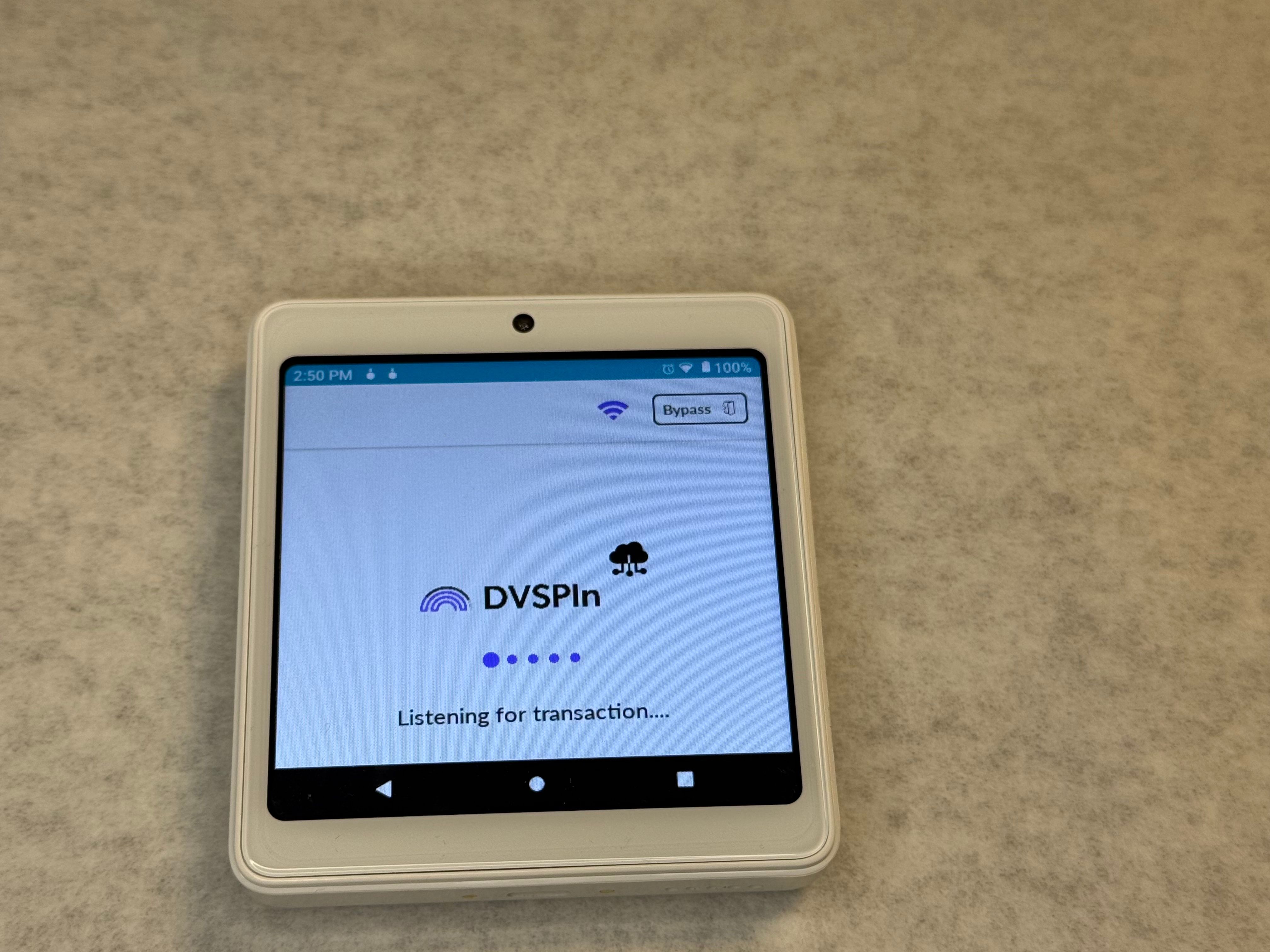
This will return you to the main screen.
Step 2: Open the Menu
Tap the Star (★) icon.
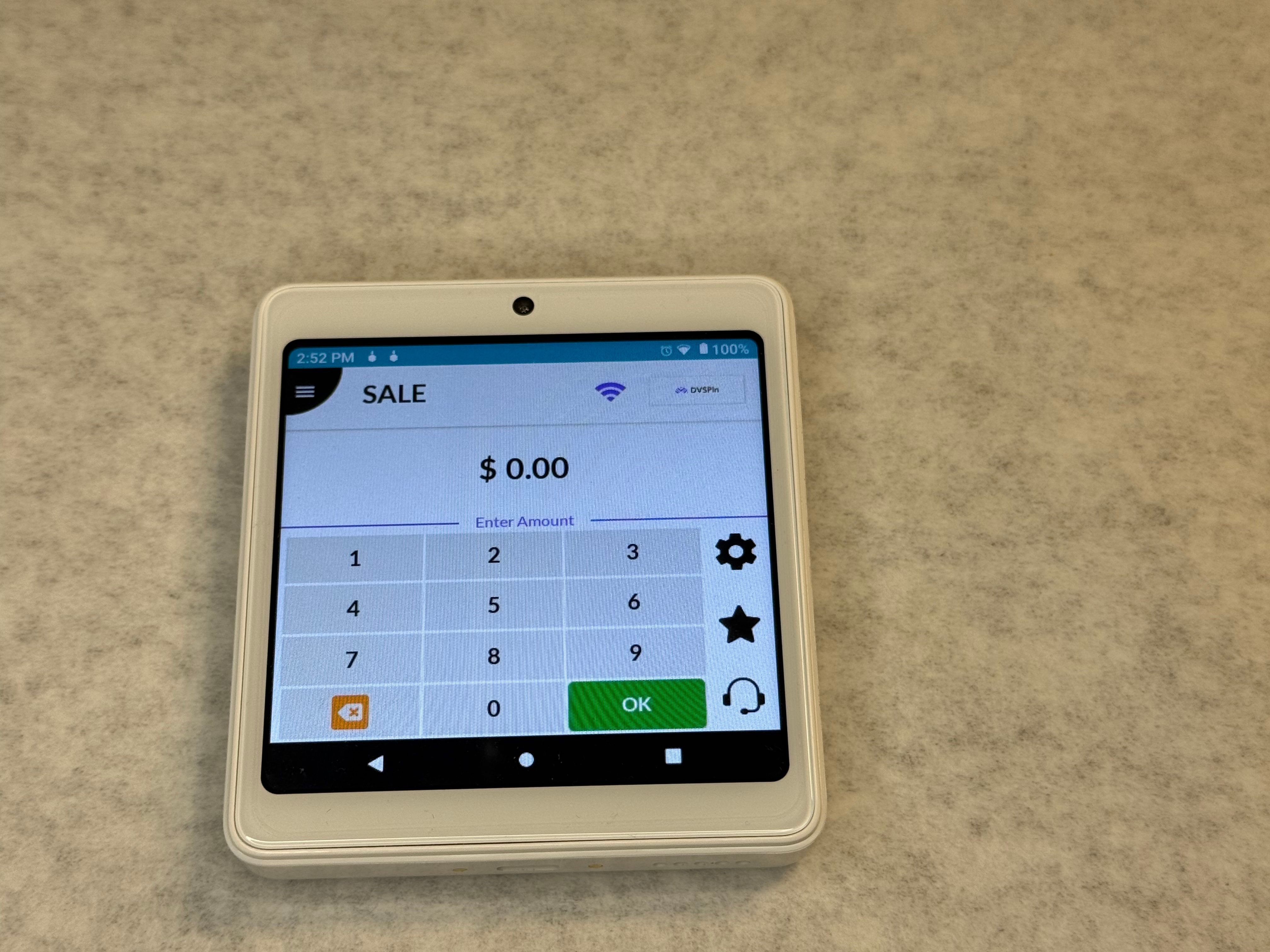
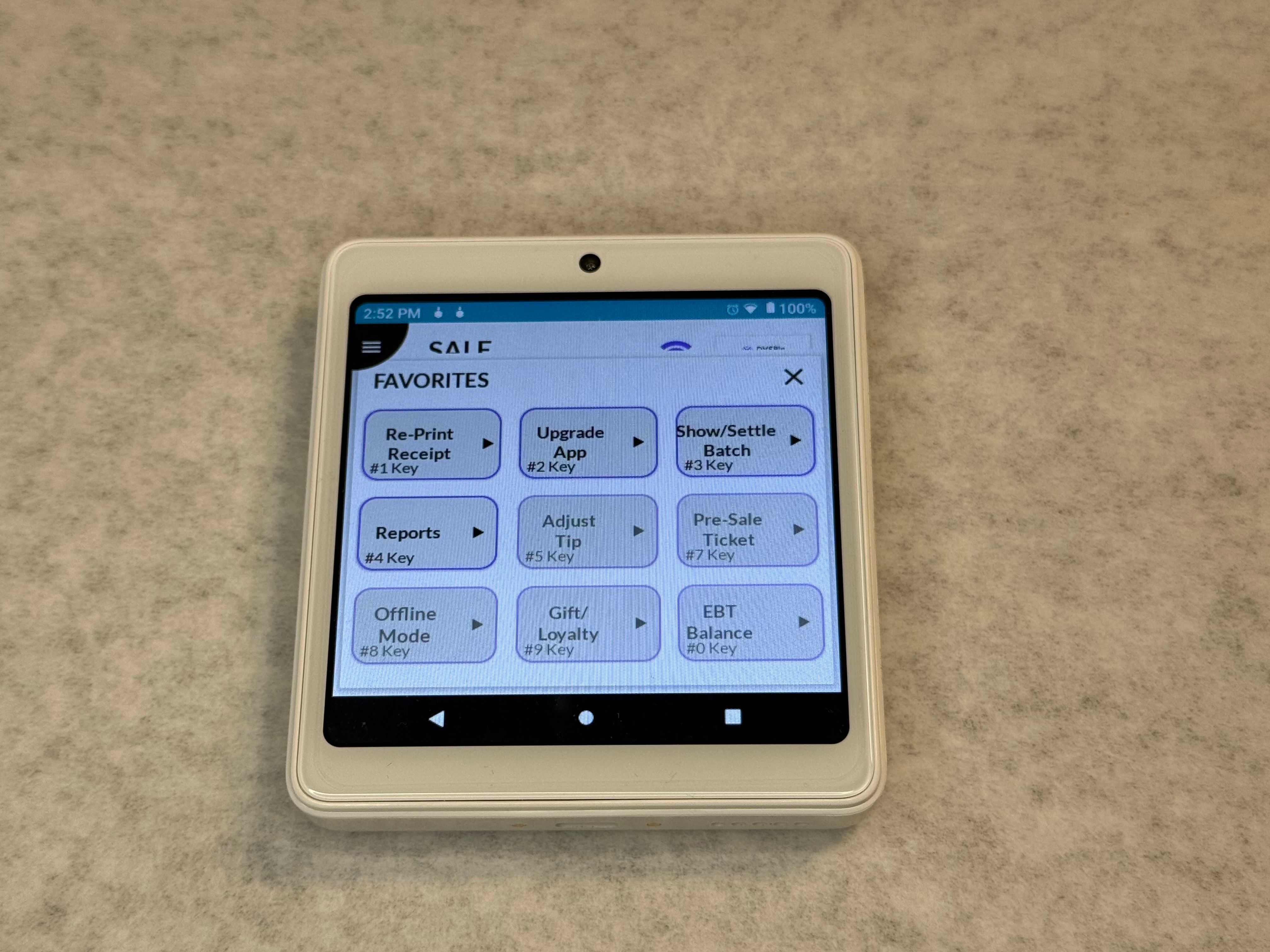
Step 3: Select Upgrade App
Select Option 2 – Upgrade App.
Step 4: Enter the Password
Enter the terminal password.
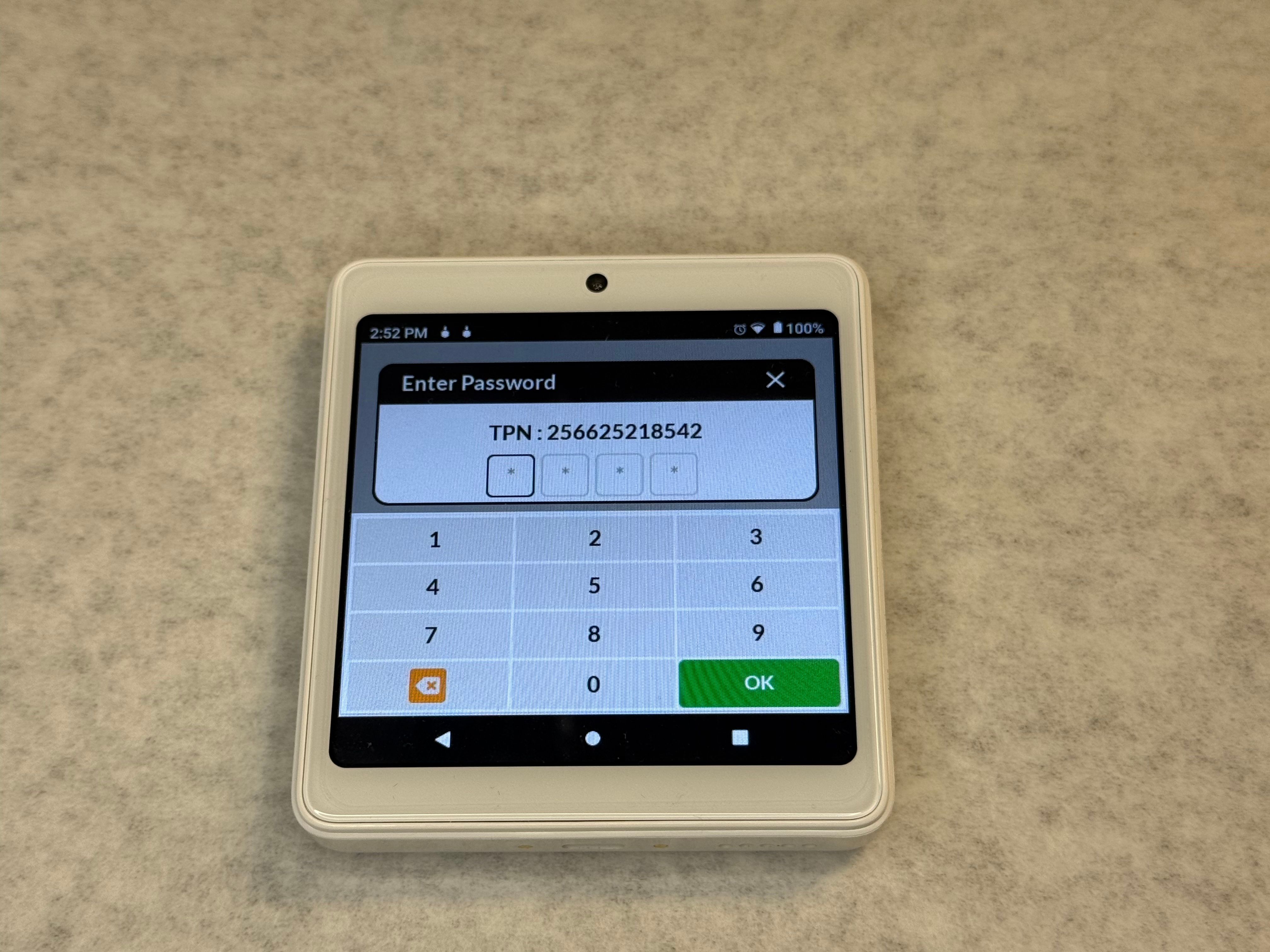
The password is typically the last 4 digits of the TPN.
Step 5: Download Parameters
Tap Download Parameters.
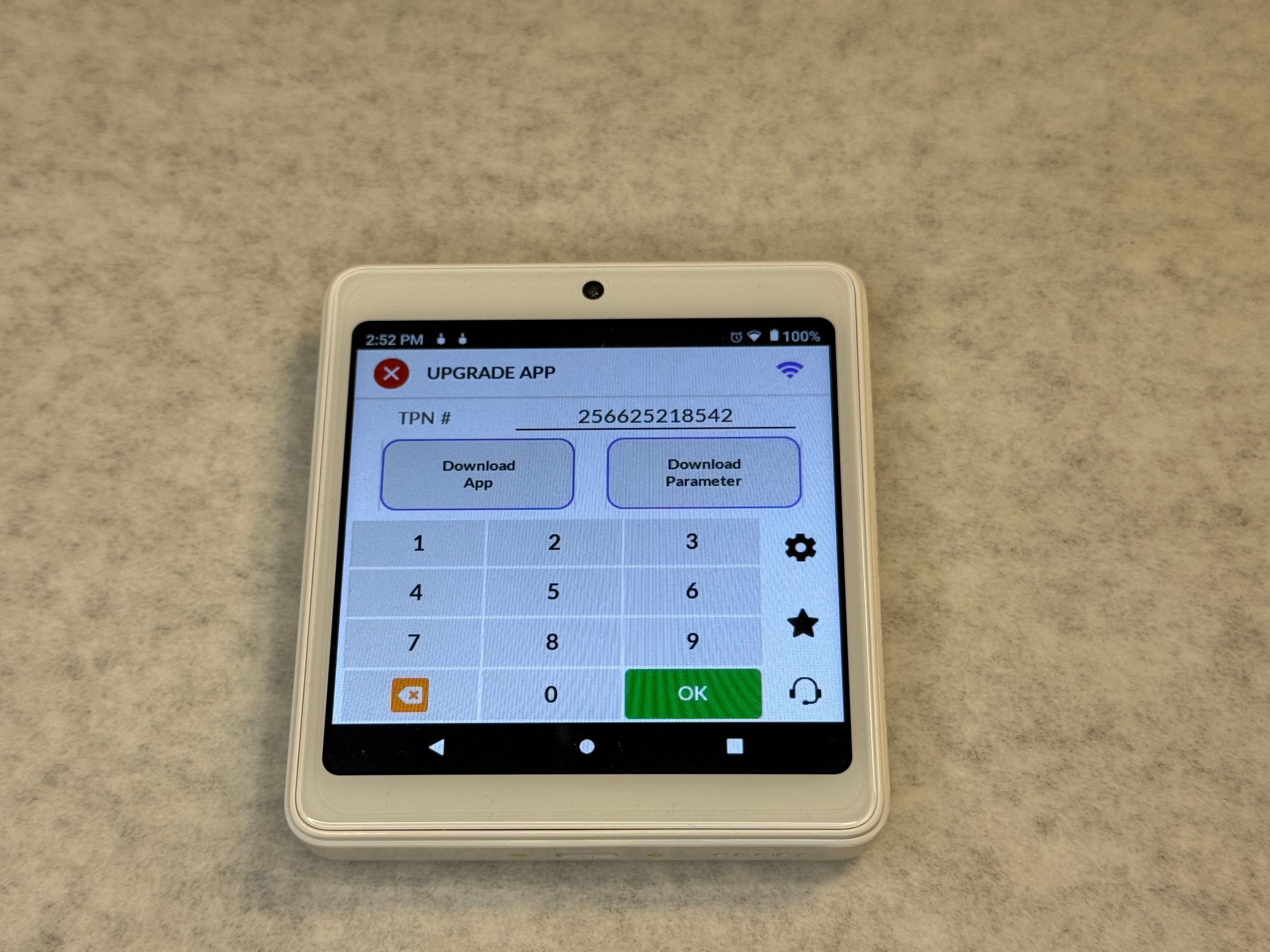
The terminal will begin downloading the latest configuration, parameters, and required keys.
Step 6: Confirm the Update
Once completed, the terminal should display:
“Download Parameter Successful”
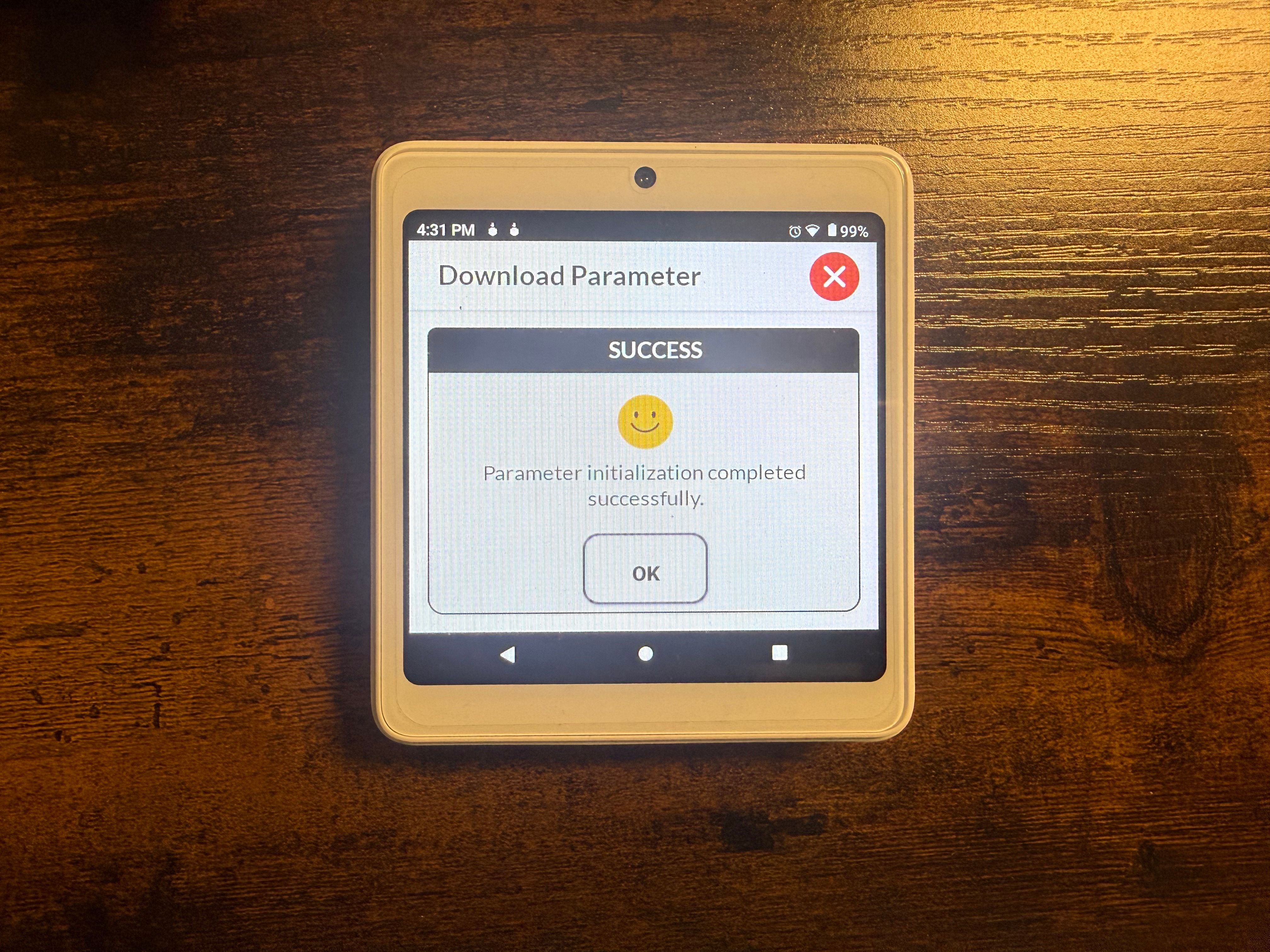
The terminal will then download the required keys and automatically reopen the DVPayLite application.
Once DVPay reopens, the terminal should be ready to process transactions.
Need Additional Help?
If the parameter download fails, the terminal does not reopen DVPay, or you receive an error message, please contact your payment processing support team.
You may also contact Dejavoo Technical Support:
Phone: 1-877-358-6797, Option 2
Email: [email protected]